Apple’s Spyware Threat Notifications: What Endpoint Admins Need to Know
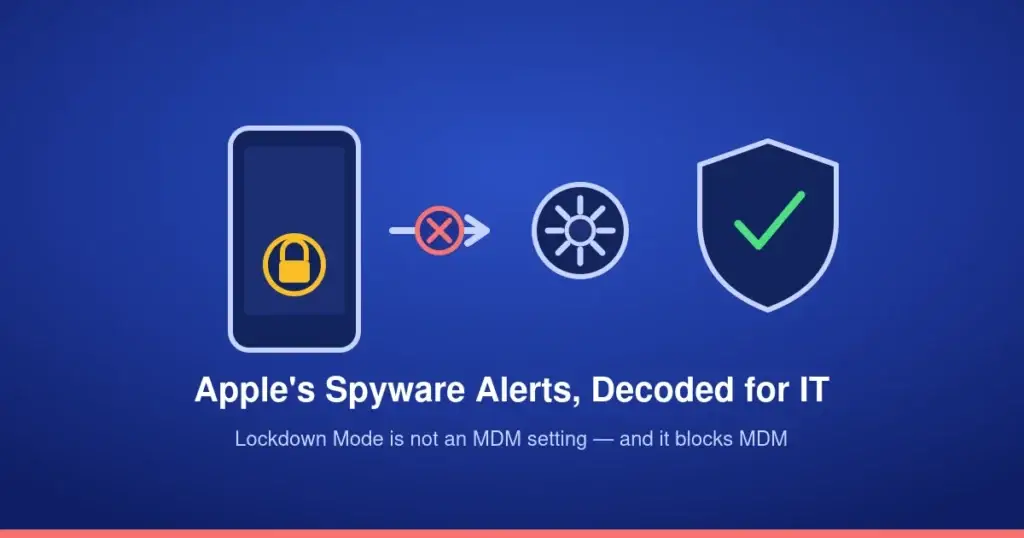
Apple sent another round of mercenary-spyware threat notifications to iPhone users on October 30 — the third wave in recent months, this one reaching selected users across 99 countries. The news coverage treats this as a consumer security story, and mostly it is. But if you manage a fleet of iPhones through Jamf Pro or Intune, there’s an operational detail buried in Apple’s own documentation that the security headlines don’t mention: Lockdown Mode, the exact tool Apple recommends to targeted users, is something your MDM cannot touch — and it actively blocks MDM while it’s on.
Key takeaways
Apple’s threat notifications target specific individuals — typically journalists, activists, politicians, and diplomats — not the general user base, and Apple does not name the attacker or attribute the campaign to any vendor. Its recommended defense, Lockdown Mode, is explicitly not configurable through MDM, per Apple’s own support documentation — administrators cannot enable, enforce, or report it from Jamf or Intune. Turning it on also blocks new MDM enrollment and configuration profile installation on that device until it’s switched off. A device already enrolled before Lockdown Mode is enabled stays manageable, so the operational risk is specifically around new enrollments and new profile pushes, not existing management.
What Apple actually said
Security researcher Costin Raiu reported the October 30 wave of notifications, separate from an August round that reached 110 countries. Apple says it has now notified users in more than 150 countries in total since it started this program. The notifications describe mercenary spyware — attacks Apple characterizes as exceptionally well-resourced, costing attackers millions of dollars, and built around specific targets rather than broad campaigns. Apple hasn’t named a vendor, a CVE, or a delivery method for this wave, and the country counts reflect where notified users are located, not confirmed infections.
Genuine notifications arrive as a Lock Screen alert, in Settings, and by email tied to the recipient’s Apple Account, with a banner that also appears after signing in to appleid.apple.com directly. Apple is explicit that a real notification never asks someone to install an app or a configuration profile, open a file, or hand over a password or verification code — which also makes a convincing impersonation easy to build, given how closely a phishing attempt can mimic that exact structure.
The part that matters for an MDM fleet: Lockdown Mode isn’t yours to manage
Apple’s own support documentation states plainly that Lockdown Mode is “not a configurable option for Mobile Device Management by system administrators.” It’s a per-device, user-enabled setting — on iPhone, iPad, and Mac independently, and enabling it on an iPhone extends it to a paired Apple Watch automatically. There’s no restriction payload, no managed configuration key, nothing in the Jamf or Intune policy surface that reaches it. If a high-risk employee calls your help desk after receiving one of these notifications, “push Lockdown Mode to their device” isn’t an action available to you — it’s a conversation you have with the user, not a profile you deploy.
The operational wrinkle sits on the other side of that same setting. While Lockdown Mode is active, the device cannot be enrolled into MDM and cannot accept new configuration profiles — a user has to turn it off, install whatever’s needed, and can turn it back on afterward. A device that was already enrolled before Lockdown Mode went on stays fully managed; existing profiles keep working and you can still push and remove configurations normally. The exposure is specifically: a new device, or a user who hasn’t enrolled yet, enabling Lockdown Mode first and then finding enrollment or a needed profile silently unavailable until they temporarily disable it.
What this actually means for the fleet
- Identify your actual risk population. Apple’s own guidance names the targets — journalists, activists, politicians, diplomats, and by extension executives, legal counsel, and comms staff at organizations handling sensitive work. If that’s a real category in your org, know who they are before an alert shows up.
- Build the Lockdown Mode conversation into onboarding for that group, not into a policy push. Walk them through Settings > Privacy & Security > Lockdown Mode themselves, on an already-fully-patched device, before they need it under pressure — and set the expectation that some apps, websites, and FaceTime behavior change once it’s on.
- Enroll before anyone enables Lockdown Mode, not after. If a device is headed toward a high-risk user, get it through MDM enrollment and its baseline profiles first. Explaining to a device that’s already in Lockdown Mode why it suddenly can’t accept a profile is a worse conversation than preventing the situation.
- Train the help desk to recognize impersonation risk. Apple’s own phishing warning — genuine alerts never ask for an app install, a profile install, a file open, or credentials — is also exactly the script a convincing fake would try to violate. Make sure whoever answers that first call knows the real notification’s behavior cold.
- Point affected users at real help, not just “update your software.” Apple’s own guidance for notified individuals is to treat the alert seriously and contact Access Now’s Digital Security Helpline, which runs around the clock for exactly this situation.
Bottom line
This round of notifications isn’t a fleet-wide incident, and Apple is clear that most users will never see one. But the one piece of advice Apple gives targeted users — turn on Lockdown Mode — sits completely outside MDM’s reach, in both directions: you can’t push it, and a device that has it on can quietly stop accepting the things you try to push. Know that before the call comes in, not during it.
Source: Cyber Security News; Lockdown Mode/MDM behavior verified against Apple’s own documentation.